
MY MOUSE & KEYBOARD ARE NOT WORKING?
Jumpy mouse | erratic behavior | repeating keys | multimedia keys not working | No mouse | No keyboard
First of all make sure you have the USB connection established
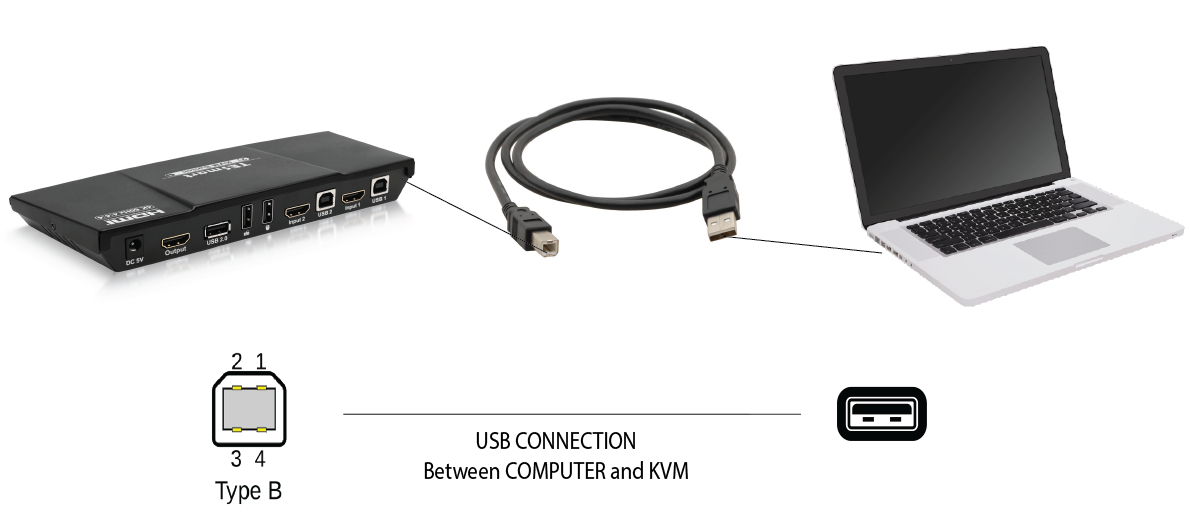
Once the connection is established you should have the "Online Light" on this indicates the connection is active this is what makes the communication between the peripherals(Mouse, keyboard, USB devices) and the computers.
- Solution 1: We see issues occur sometimes when there is Logitech or keyboard/mouse software (corsair,razer or etc.) installed into the computer. You can search your "Apps & Features" and uninstall this software. This should stop the confliction between the hotkey software and keyboard/mouse software.
- Solution 2: Another possible cause could be IR interference if you're using wireless keyboard/mouse, since the USB port is in the back of the KVM there could be interference due to distance and the cables. Using a USB extender to bring the USB dongle closer to the devices will strengthen the connection.